
An ideal deployment pipeline uses a service principal identity to do its deployments. The Power Platform pipeline was no short of this feature. The all-new native pipeline feature in the solution object viewer UI can delegate deployments that can run as service principals or stage owners. The user requesting the deployment can deploy the solution as the delegate. For delegated deployments, the owner of the solution and its objects become the delegated service principal or pipeline stage owner. In this blog post, I will document all the steps required to achieve the above.
First, let’s break down the steps for deployment.
I will use a simple deployment pipeline to export a solution package from a development environment as a managed solution to a UAT environment. Power Platform pipelines will capture the deployment as a stage and will have a configuration which allows us to use delegated deployment identities.
Setting up a service principal identity in host and target environments
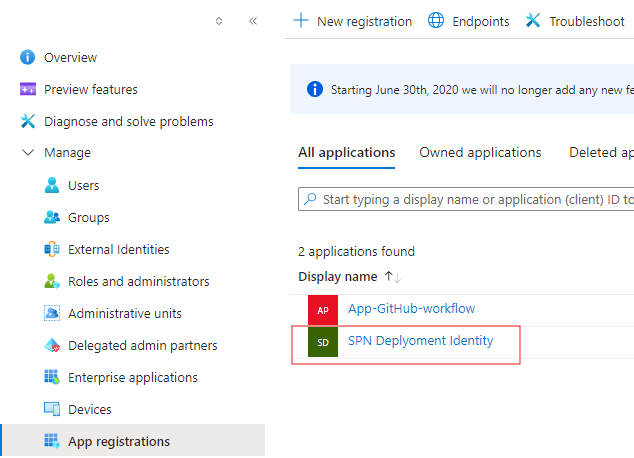
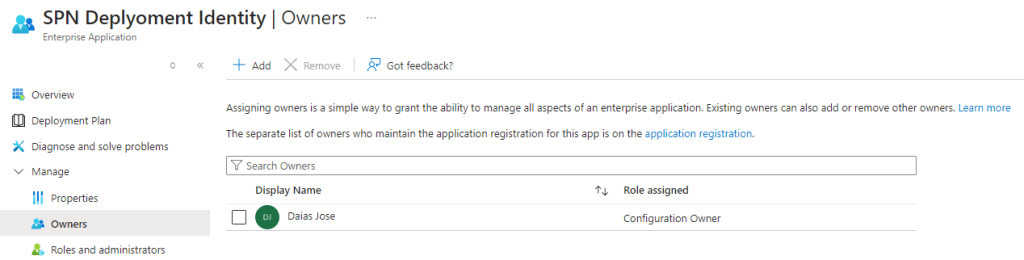
Create an App registration in Microsoft Entra using Azure Portals and save the Client ID on your clipboard. Add yourselves to the app registration as an owner.
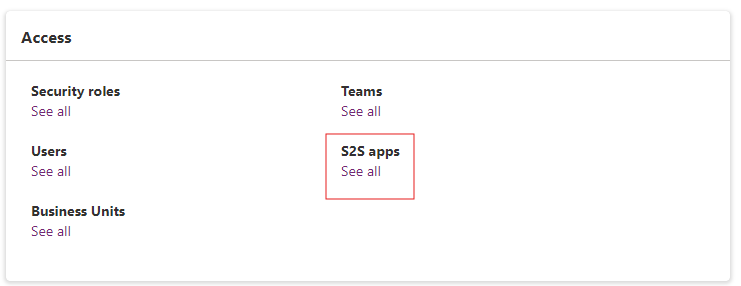
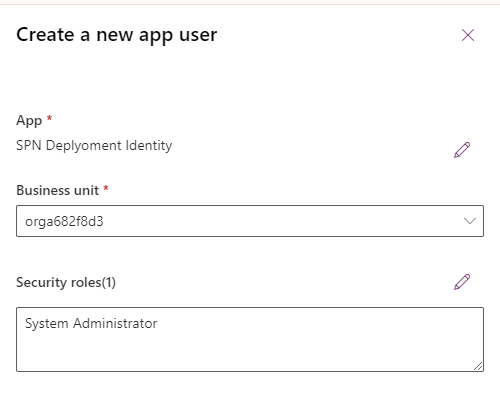
Add the app registration to the host and target environments as an S2S apps user with a system administrator security role assignment.
Configure Power Platform Pipeline Deployment Stage
Let’s create a test solution, Pipeline Solution. Add a cloud flow and its dependencies to this solution as these objects will be deployed to a different environment and owned by the delegated identity.

Now using the same interface, let’s navigate to the Pipeline menu and create a new pipeline called SPN Deployment.
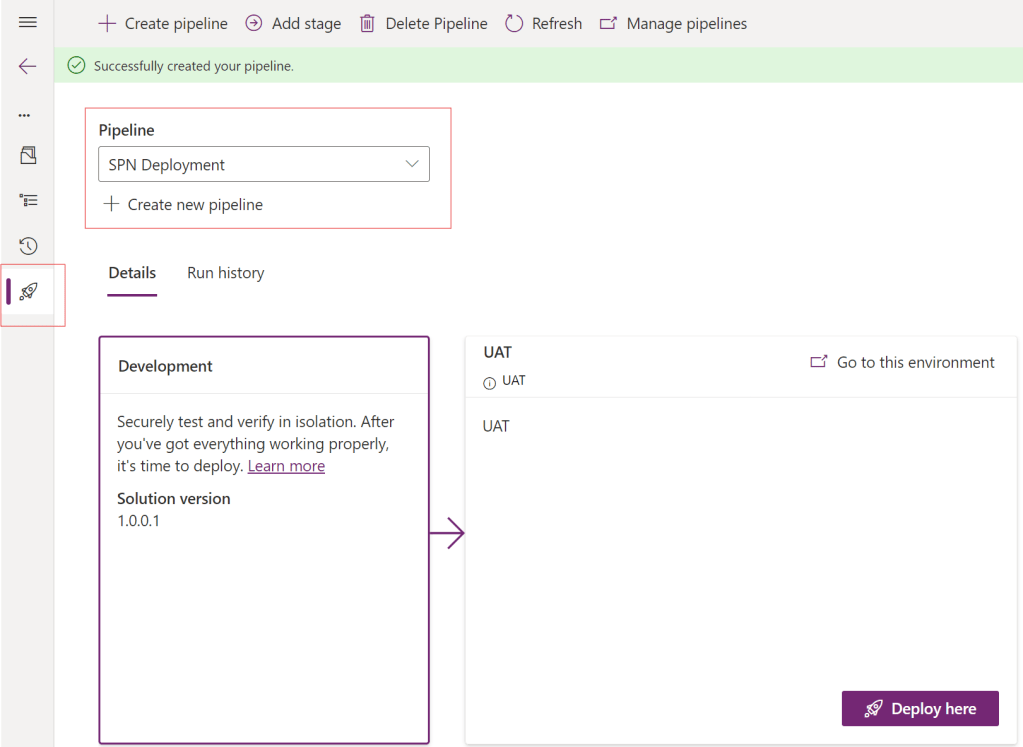
Once a pipeline is created, you will notice that the default UI does not have the configuration page. For configuration, we need to use the Deployment Pipeline Configuration app.

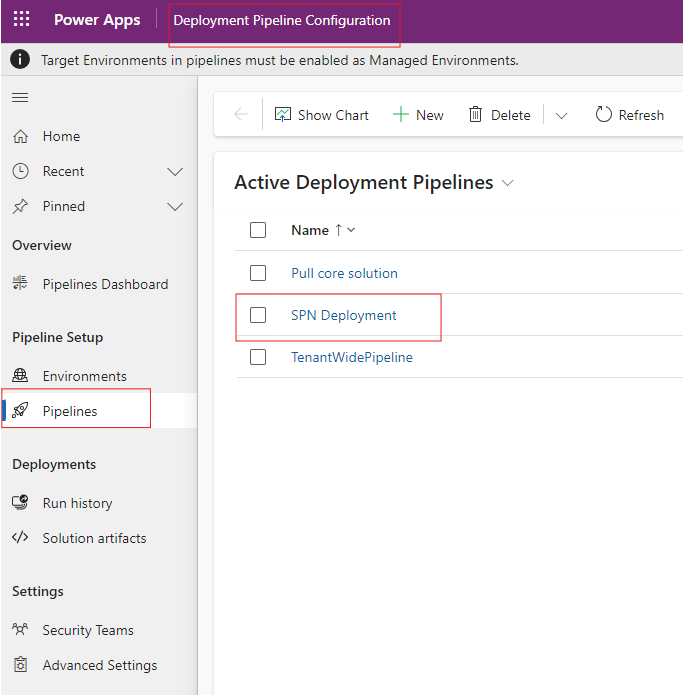
Select the SPN Deployment pipeline, and navigate to the Deployment stages tab on the form.
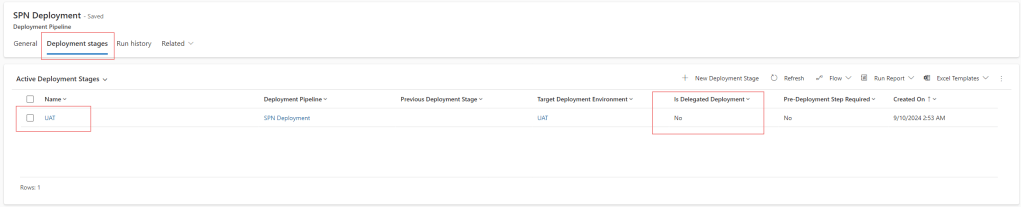
Open the active deployment stage, UAT, and you will navigate to a form that lets us configure the deployment stage. In the General tab, you will find a setting called Is Delegated Deployment. Click the bulb icon and notice a recommendation message on the form. Select the checkbox. This will display a new field called Delegated Deployment Type.
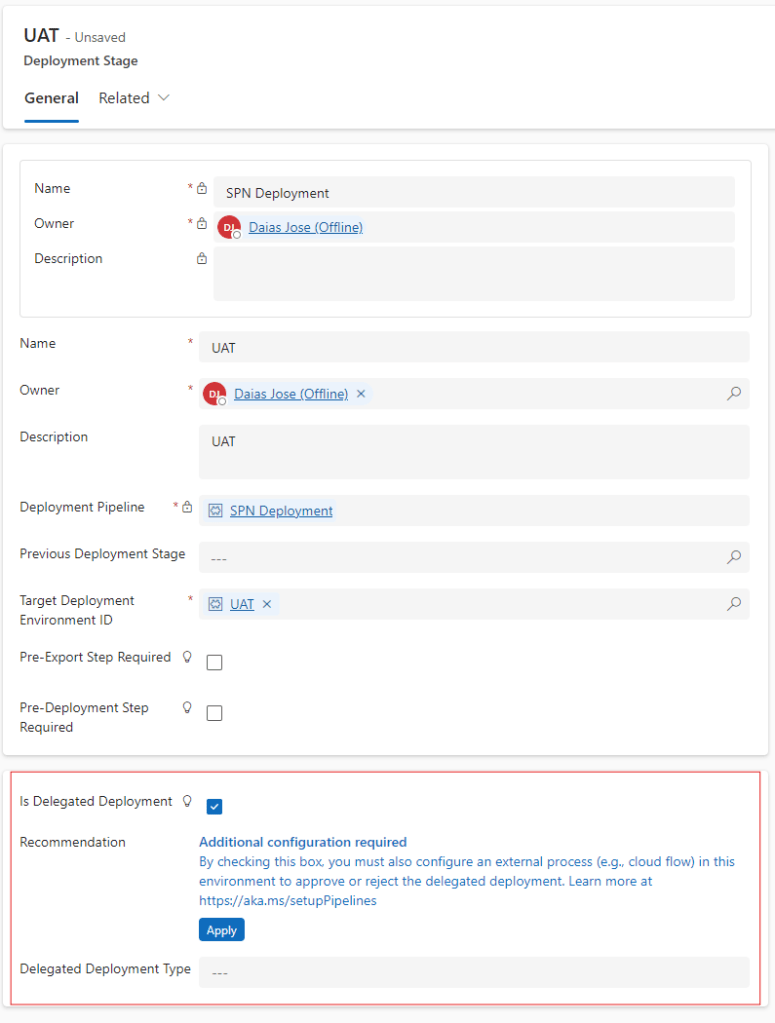
For this demo, let’s choose the service principal option for Delegated Deployment Type, this will open two more fields for us.
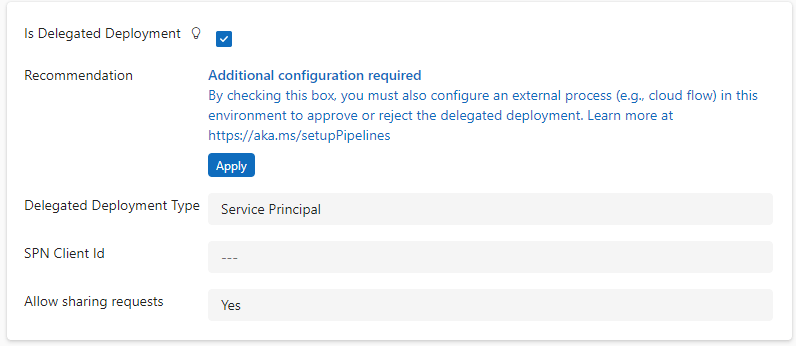
In the Client Id field, paste the application Client Id that we created in our Azure Portal and save the record.
Run the Power Platform Pipeline
Before running the pipeline, let’s refresh our Pipeline to sync all the new configurations.

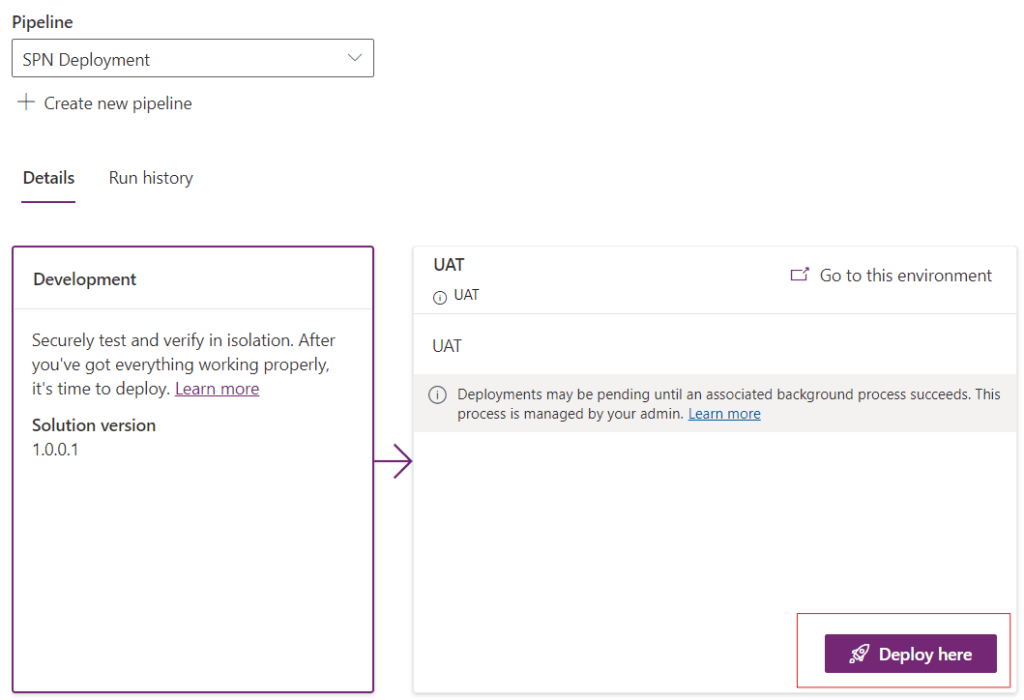
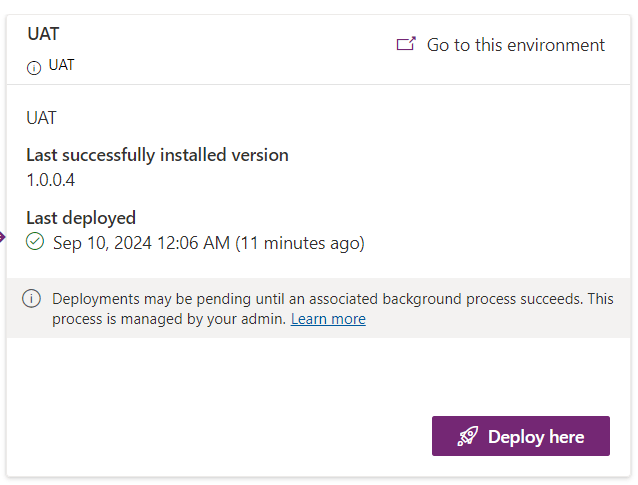
Once refreshed, start deployment to UAT.
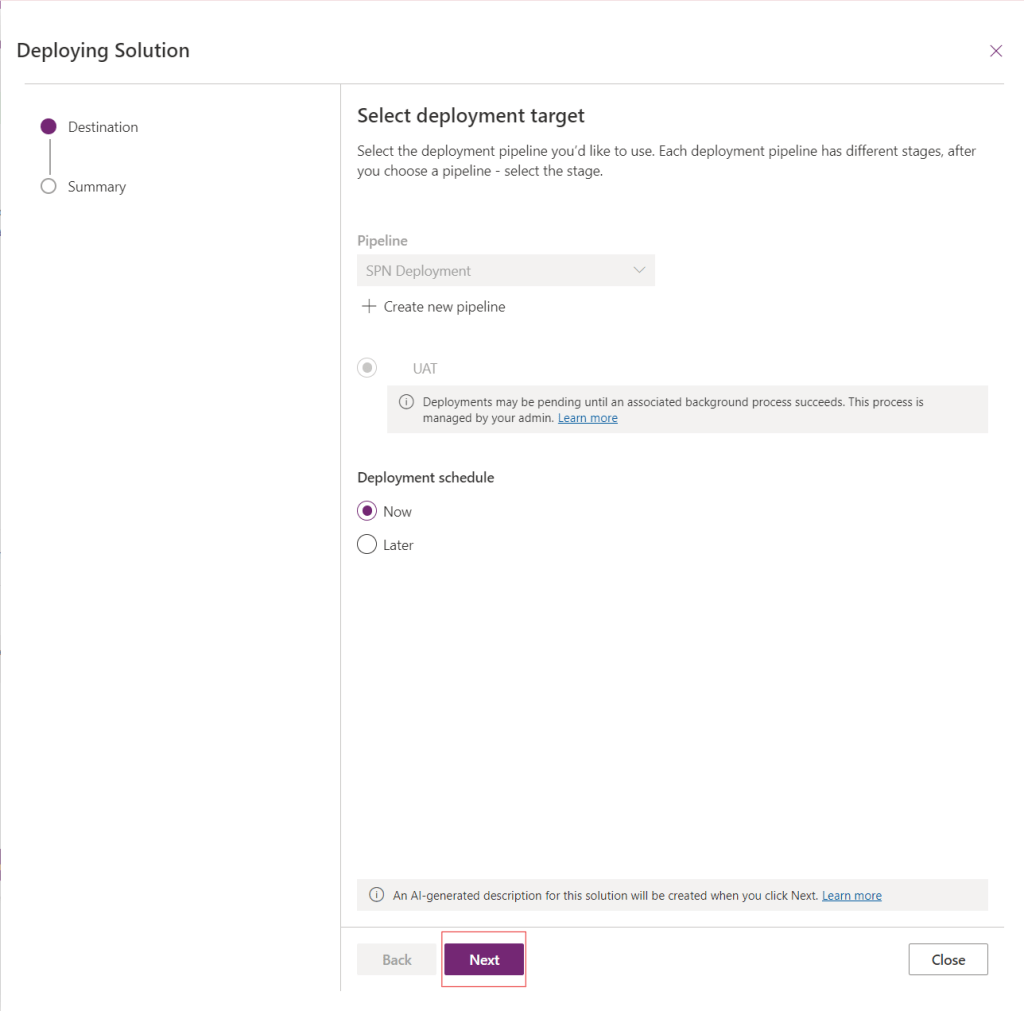
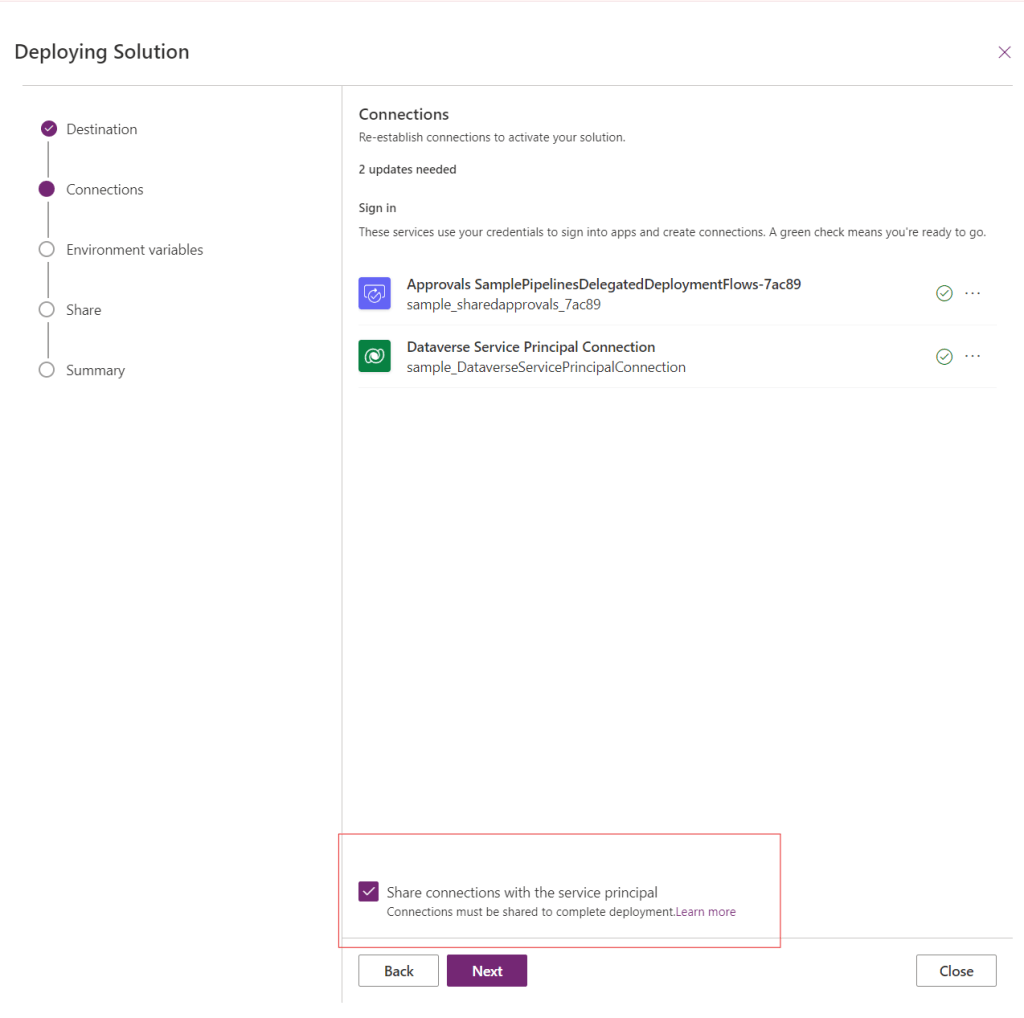
Leave the checkbox selected for Share connection with the service principal setting on, as this will ensure the deployment is truly delegated.
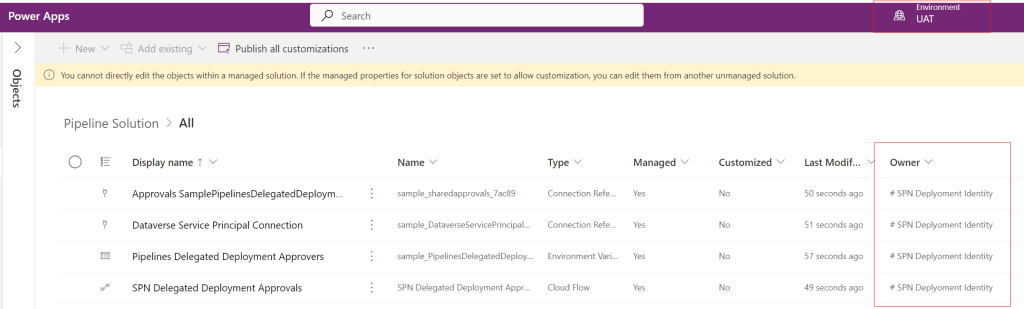
Once the pipeline run finishes, switch to the target UAT environment and verify the deployment status and the owner of the deployed solution objects. You will notice that all the objects have our SPN Identity as the owner.
Power Platform pipelines have extended their capabilities with delegated deployments using service principals and stage owners that simplify the application lifecycle management processes.

I hope you liked this article as I plan to write more articles on how Power Platform pipelines can be extended. Stay tuned!
Hi, I am Daias and I like writing blogs on Power Platform and Azure Services.
 Data Skies
Leave a comment